Fake lock screen notifications
Build a lock screen with notifications from any app (WhatsApp, Instagram, TikTok, Wallet, Gmail…) or from a contact with their photo. With the time, date and your own wallpaper, on iPhone or Android. Download it as an image, GIF or video.
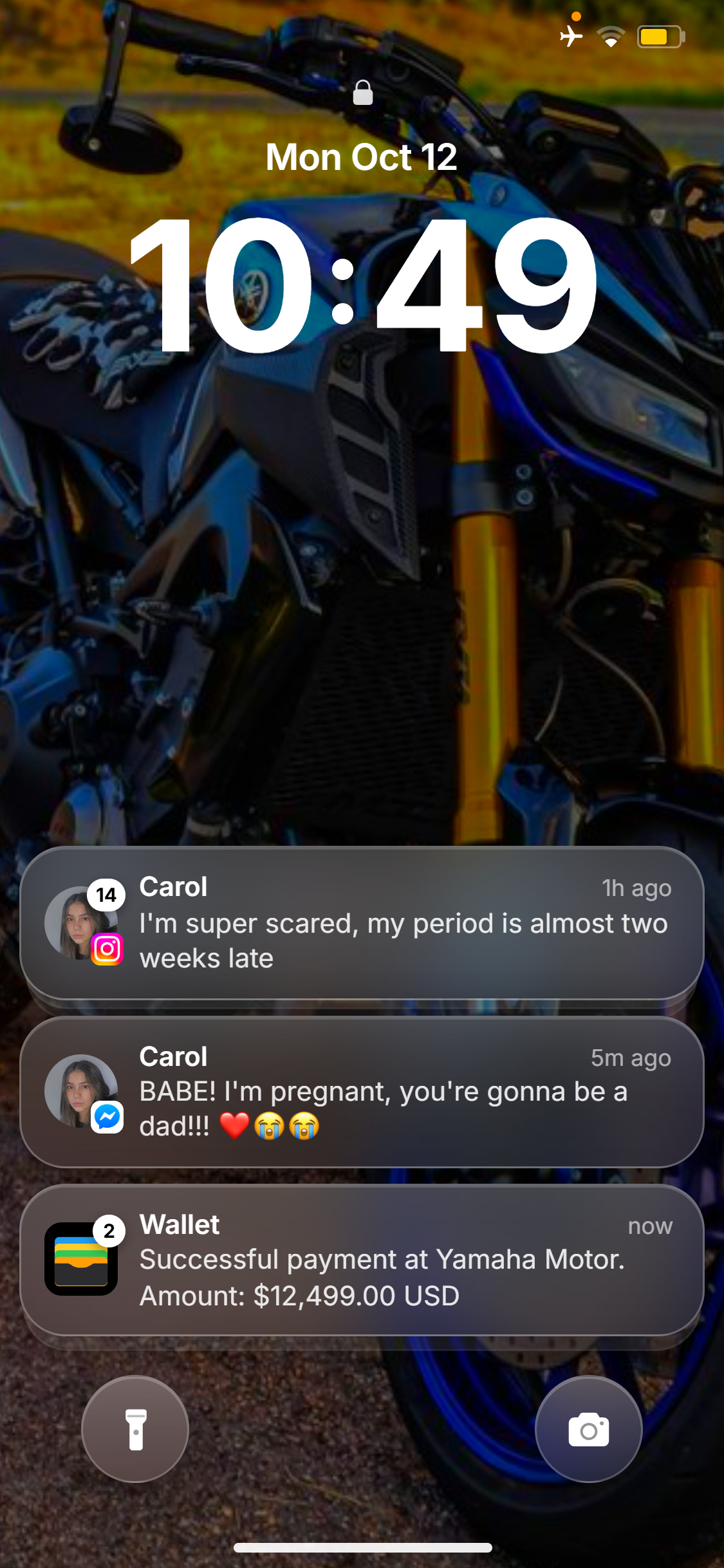
Every detail, just like the app
Here's how each thing you add looks. You edit everything from the editor panel.
Notifications from any app
WhatsApp, Instagram, TikTok, Messenger, Wallet, Mail, Gmail, Maps… or upload another logo.
Messages from a contact
With the contact's photo and the app icon in the corner, like on the iPhone.
How long ago and how many
“now”, “5m ago”, “Yesterday”… and the unread count badge.
Your wallpaper
One of ours, your own photo or a short video, with brightness and blur.
Status bar and carrier label
Signal, wifi, battery and labels like #StayHome.
Image, GIF or video
Download as PNG, GIF or an MP4 video.
How to make a fake lock screen
From your phone or computer, in a few minutes.
- 01
Pick the wallpaper and time
Your photo or video, the date and the time.
- 02
Add notifications
From an app or a contact, with the text, how long ago and how many messages.
- 03
Download or share
As an image, GIF or video.
What is it used for?
What people do most with NamiChats.
- 01Stories for TikTok, Reels and YouTube
- 02Memes about unexpected notifications
- 03Scenes for videos and short films
- 04Notification mockups for apps
Is the lock screen generator free?
Creating is free: you can make lock screens in every app, with nothing to install. To download them (image, GIF or video, no watermark) you need Premium, starting with the 7-day pass.
Do I need to install an app?
No. NamiChats works in the browser on your phone or computer.
Can I download it as a video?
Yes. Besides a PNG image, you can download it as a GIF or an MP4 video, perfect for TikTok, Reels and Shorts.
Which apps can I show notifications from?
The most popular ones (WhatsApp, Instagram, TikTok, Messenger…), the iPhone apps (Mail, Calendar, Wallet, Photos…) and Android apps (Gmail, Chrome, Maps…), or upload another logo.
Can I use my own wallpaper?
Yes. Use one of our wallpapers, upload a photo or a short video, and adjust brightness, contrast and blur.
Is it legal to use a fake lock screen?
It's meant for entertainment, creative content and mockups. Don't use it to deceive, impersonate someone or commit fraud: that breaks our terms and may be illegal.
Is NamiChats only for lock screen notifications?
No. With NamiChats you can also create WhatsApp chats, Instagram DMs, Messenger chats, TikTok messages, iMessage and SMS, ChatGPT chats, X (Twitter) posts, fake calls and call histories. All from the same editor.
Does it work on phone and computer?
Yes. It works in any browser (Chrome, Safari, Edge or Firefox) on iPhone, Android, Windows or Mac.
Your lock screen, ready in minutes.
Create a lock screenOther NamiChats generators
The same editor works for all these apps.